Pocket-Sized Exposure: Auditing Removable Media in UK Offices
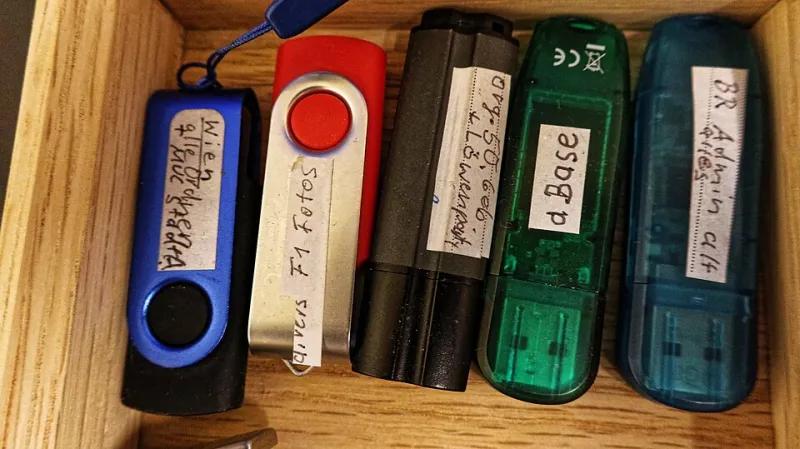
Photo: Burkhard Mücke, CC BY-SA 4.0, via Wikimedia Commons
Every office has a drawer. Inside it, typically: three branded memory sticks from a trade show, a portable hard drive labelled ACCOUNTS (OLD) in marker pen, an SD card from the summer photoshoot, and a dictaphone card nobody has emptied since the last board meeting. None of these devices appear on any asset register. All of them can hold personal data.
Cloud services now carry most of the working day, which is precisely why removable media has drifted out of sight. Identity controls, sharing restrictions, data loss prevention on email and audit logs all assume data stays inside applications you can see. A memory stick in a coat pocket sits outside every one of those layers, and it is the only route by which a copy of the client list can leave the building without generating a single log entry.
Why the stick escapes every control you have
A lost USB drive is still a personal data breach under the UK GDPR, and it must be assessed as such. If the device was unencrypted and held client records, payroll detail or meeting notes, the organisation will need to judge whether there is a likely risk to the rights and freedoms of the people concerned and, if so, notify the Information Commissioner's Office within seventy-two hours. Where encryption has been properly implemented and the keys are not compromised, the risk is often low enough that notification is unnecessary, though the incident still needs recording and reviewing.
The uncomfortable truth is that most organisations cannot say how many such devices exist, who holds them, what is on them, or whether the contents were ever encrypted.
Step one: a physical sweep, not a policy circular
Start by finding the devices. Ask every team to empty drawers, cupboards, bags and lockers onto a table. Include the marketing camera kit, the site survey bag, the finance box that goes to the accountant, the conference giveaways and any drives sitting in a server room crate. Note serial numbers where they exist, photograph each device, and set aside anything that cannot be accounted for.
Expect resistance. People keep sticks because they are convenient, not because they are malicious. The sweep should be framed as housekeeping rather than an investigation, with a clear promise that unlabelled devices will be returned once recorded.
Step two: a register worth maintaining
A spreadsheet is sufficient, provided someone owns it and it is reviewed. Record asset identifier, device type and capacity, the individual responsible, the classification of data permitted on it, encryption status, physical location and the date it was last verified. Add a column for replacement or destruction date so retired devices do not linger in the count.
The register should include camera cards and audio recorders. These are frequently overlooked, yet they are the devices most likely to hold images of identifiable people, including visitors and members of the public who never signed anything.
Step three: choose a posture and state it plainly
There are three workable positions, and any of them is better than ambiguity:
- Prohibition. No removable media at all; transfers go through approved file-sharing services. Suitable for organisations whose data is fully cloud-resident.
- Corporate-issued, encrypted only. Staff may use organisation-supplied, hardware-encrypted devices. Personal sticks are not permitted for any work data.
- Permitted with a loan log. Devices are held centrally, signed out against a named individual and returned wiped. Appropriate where field work, site surveys or equipment without network access make media unavoidable.
Most UK SMEs land on the second or third. The critical point is that the rule is written down, communicated and matched by a genuinely easy alternative, otherwise staff will route around it.
Step four: encryption that survives loss
A password-protected zip file is not encryption in any meaningful sense, and neither is a stick with a text file called password.txt. Use hardware-encrypted devices with an on-device keypad where the data must leave the premises, and validate that they meet FIPS 140-2 or 140-3. For general use, BitLocker To Go on Windows or FileVault on macOS is acceptable, but only if recovery keys are escrowed centrally rather than held by the individual.
Then verify. It is common to find encrypted devices in circulation that were never actually enabled, because the setup prompt was dismissed during a busy week.
Step five: labels, cabinets and a loan log
Asset tags make a device identifiable when it is handed in at a lost property desk or found in a meeting room. Tamper-evident envelopes give some assurance that a drive dispatched by courier arrived unopened. A locked cabinet with a named keyholder keeps the pool of devices small and countable.
The loan log can be paper. Record the asset identifier, the holder, the classification of data involved, the date out, the date returned and confirmation that the device was wiped before reissue. Be mindful that the log is itself personal data, so keep it minimal and retain it only as long as needed.
Step six: transfers between sites and third parties
Before any physical transfer, ask whether the movement is necessary at all. Managed file transfer, a secure portal or an encrypted share link will usually do the job with a proper audit trail. Where a physical handover is unavoidable, use tracked delivery, avoid unencrypted devices in the post, and confirm receipt by name.
Accountancy practices and payroll bureaux are the classic case. If the arrangement involves a drive travelling monthly between offices, that is a standing risk worth redesigning rather than tolerating.
Step seven: disposal, where things usually go wrong
Deleting files or formatting a drive does not remove data. Overwrite with verification, or degauss magnetic drives, remembering that degaussing does nothing for solid-state media. Physical destruction through a certified IT asset disposal provider, ideally ADISA-certified and working to BS EN 15713, gives a certificate you can file. Camera cards that will not be reused should be destroyed rather than passed on.
Removable media must never go into general waste or ordinary office recycling. The WEEE Regulations apply, and the reputational cost of a stick turning up in a car park is far higher than the cost of proper destruction.
Step eight: technical controls that help rather than hinder
Endpoint tools can allow-list approved device serial numbers and block everything else, log large copy operations and alert when hundreds of files move in a short period. These controls are worth having, but they should support the policy rather than substitute for it. A blocked port creates a workaround; a blocked port plus a simple approved alternative creates compliance.
Step nine: a policy people can follow
Keep it to a page. State the default, name the exception route, explain how to request an encrypted device and how to report a loss. Make reporting blame-free and give a clear deadline, ideally within twenty-four hours, because the seventy-two-hour breach clock starts from awareness, not from the moment someone plucks up courage. Cover removable media at induction, refresh annually, and add a line to the leavers checklist so devices come back with the laptop.
The aim is not to rely on staff remembering where every stick is. It is to build a system in which forgetting one is survivable.
The audit checklist
- Physical sweep completed and every device recorded.
- Register owned by a named individual and reviewed quarterly.
- Written posture agreed: prohibition, corporate-issued, or logged pool.
- Encryption verified, not merely assumed, with keys escrowed.
- Asset tags applied and tamper-evident transit used where relevant.
- Loan log in use, with wipe confirmation on return.
- Certified destruction for retired media, with certificates retained.
- Device controls and copy alerts configured where the estate allows.
- One-page policy issued, plus induction and annual refresher.
- Loss reporting route publicised, blame-free and time-bound.