The Paper Trail's Digital Shadow: Auditing Residual Data on UK Office Printers and Scanners
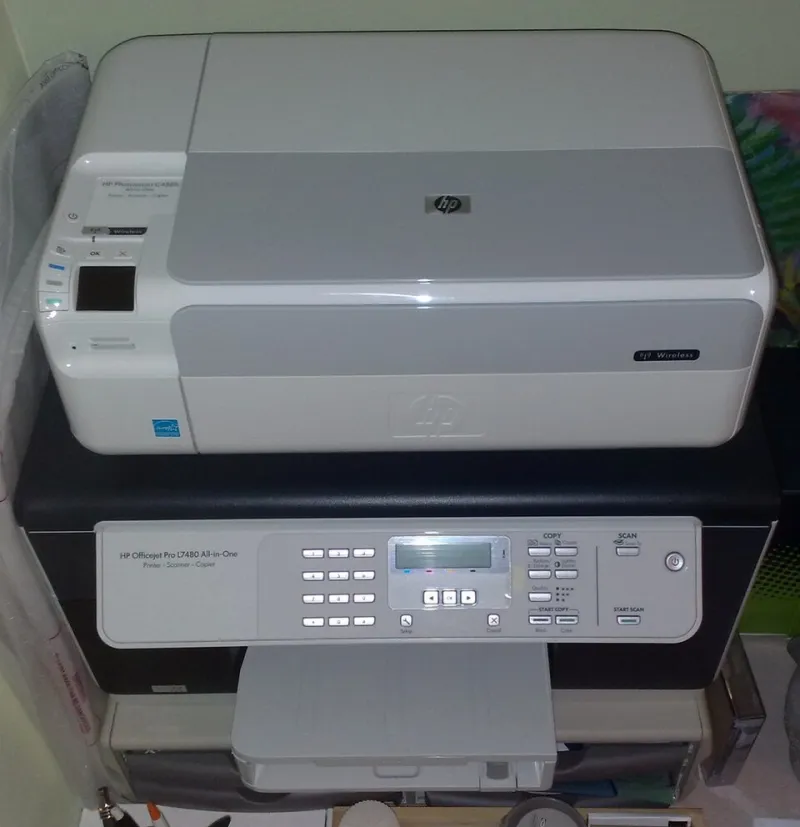
Photo: Fhuity, CC BY-SA 4.0, via Wikimedia Commons
The multifunction printer is often treated as office furniture: visible, shared and rarely examined. That assumption is increasingly unsafe. A modern device in a UK office may print contracts, scan payroll forms to email, copy client identification and cache job details in onboard memory. When the device is moved, returned to a lessor or sold, those remnants can travel with it. The locked drawer problem is not about paper. It is about the digital memory inside equipment that few organisations add to their data map.
Where residual data accumulates
Printers, scanners and multifunction devices are small computers with storage, operating software and network connections. Their memory takes several forms. Volatile memory may hold a job while it is being processed, but it is not always cleared immediately when power is removed. Flash memory and non-volatile RAM can retain configuration, address books, job logs and device settings. Some models include a hard disk or solid-state drive for spooling, scan-to-folder workflows or document storage. Even a device that mainly prints may hold network settings, administrator credentials and a history of recent jobs.
The risk rises with function. A scanner that sends documents to email, a shared network folder or a cloud service may retain scan profiles, destination addresses, authentication details and temporary copies. An embedded web server may keep logs of administrative activity. A leased device may have been used by a previous occupier before it arrived. Not every printer retains full document images, but many retain enough metadata and configuration to be sensitive. In a UK office handling HR records, client files or financial information, that is a data protection issue, not merely an IT housekeeping task.
What UK GDPR and ICO expectations mean in practice
Under the UK GDPR and the Data Protection Act 2018, personal data includes scanned application forms, payroll records, customer correspondence and identification documents. Disposing of a device, redeploying it to another team, returning it to a supplier or selling it is processing. Article 5 requires personal data to be processed securely and kept only as long as necessary. Article 32 requires appropriate technical and organisational measures, taking account of the risk.
The Information Commissioner's Office does not prescribe a single wipe method for every device. Its expectations are risk-based: identify the data, assess the risk, apply suitable controls and keep evidence of what was done. Accountability does not disappear when a supplier handles disposal. If an IT asset disposal contractor wipes or destroys the device, the organisation still needs a written contract, clear instructions and assurance that the work was completed. An office move is a particularly useful trigger for review, because devices are powered down, relocated, swapped or returned in a short period, often without a named owner checking what remains inside them.
Begin with an asset register, not a screwdriver
A practical audit starts with knowing what is in the estate. The register should record make and model, serial number, location, business owner, lease or purchase status, network connections, storage features and the intended disposal route. Ask the supplier or maintainer for the storage architecture of each model. Check the administration panel for job history settings, address books, scan destinations and any installed drives. For smaller SMEs, a simple spreadsheet is enough if it is accurate and reviewed.
Classify devices by risk rather than by age. A high-risk device might be one that scans to email, sits in HR or finance, supports home working or has an onboard drive. A lower-risk device might be a basic printer in a public area with no scanning and no local storage, though it still needs a disposal decision. The point is to avoid treating every printer identically while ignoring the ones that hold the most useful data.
A proportionate audit routine
- Confirm ownership. Assign one person to maintain the printer and scanner asset list, with support from IT and the data protection lead.
- Capture configuration. Record address books, scan-to-email destinations, shared folder paths, cloud connectors and administrator accounts.
- Review retention settings. Turn on automatic deletion of job logs where the device supports it, and reduce the period for which scan jobs or address book entries are kept.
- Restrict administration. Change default passwords, limit remote access and remove unused accounts.
- Document the decision. Note why a device is low or high risk, what data it may hold and what will happen at disposal.
Sanitisation and disposal without disrupting work
A factory reset alone is not reliable evidence that storage has been cleared. Follow the manufacturer's sanitisation guidance for the specific model. Where supported, use the built-in secure erase or crypto erase function. If the device has a removable drive, remove it and handle it as a separate storage asset. For failed devices, physical destruction may be the proportionate option. For working devices, a certified IT asset disposal provider can wipe or destroy the storage and issue a certificate.
Leased equipment needs particular attention. Check the contract for return conditions and ask the lessor what sanitisation it performs. Before an office move, label devices that are awaiting wipe and keep them out of the live network. Keep a small number of spare devices so that a wipe can be completed without stopping a team from printing. Schedule the work around payroll, billing or client deadlines, and tell staff in advance which devices will be unavailable.
Making it repeatable
A quarterly review is usually more effective than an annual panic. Add printer and scanner checks to lease returns, maintenance swaps, office moves and device replacements. Keep a short completion record: asset identifier, date, method, person and evidence. Train office managers to recognise that a printer is a data-bearing device. In 2026, the paperless office remains a aspiration rather than a description, and the equipment that handles paper deserves the same scrutiny as the laptop on the desk.